Table of Contents
Game Overview
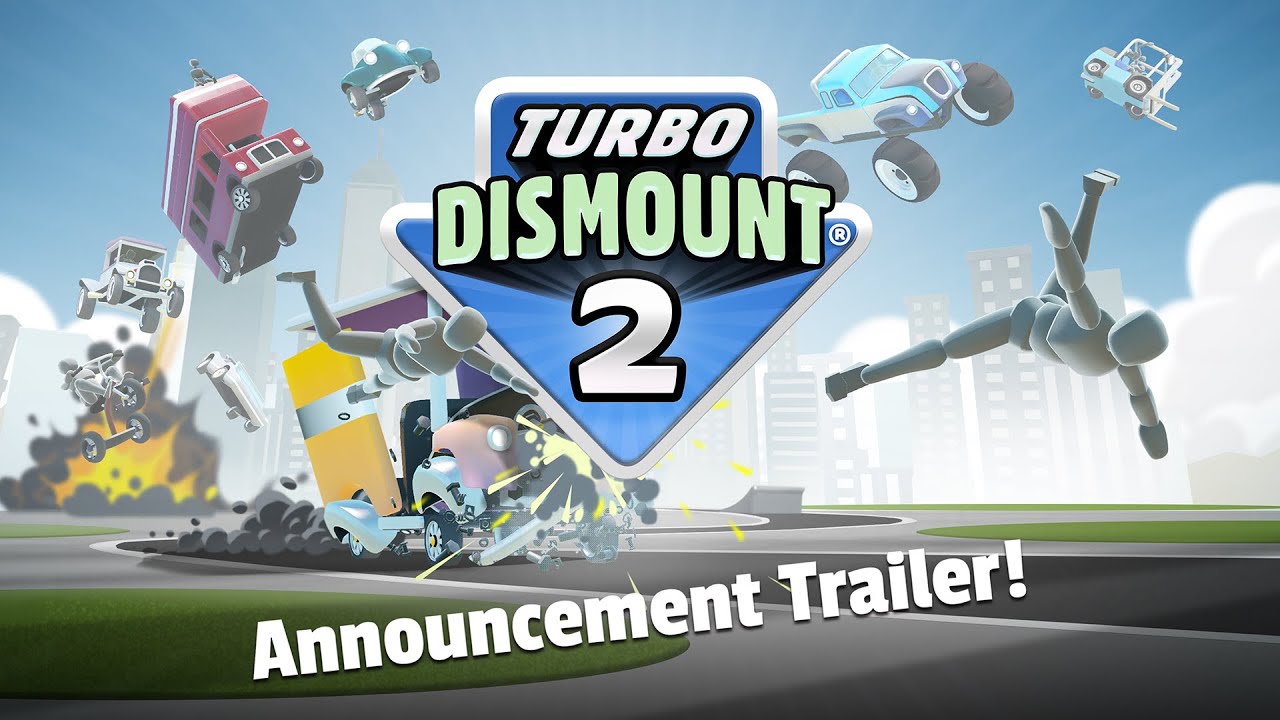
Turbo Dismount 2 is a comedy physics racing sandbox developed by Secret Exit Ltd (Finland). Released on Steam on March 13, 2026 after 8+ years of development, it builds on the original Turbo Dismount — which accumulated 71 million downloads across mobile and PC — with a completely overhauled engine (Unity 6.3 LTS), new game modes, and a powerful Steam Workshop toolset.
The core loop is straightforward: choose a character (Mr. Dismount by default), select a vehicle, set your launch angle and power, then drive or crash through the level while the game's destruction physics engine calculates every collision in real time. What separates TD2 from its predecessor is the shift from pure crash simulation to structured gameplay with six distinct mode types.
The game features fully manual first-person vehicle controls, meaning you steer, accelerate, and brake — not just set an angle and watch. This adds a skill ceiling that the original lacked, and it's what makes Racing mode genuinely competitive.
Key Facts
- — Developer: Secret Exit Ltd (Finland), self-published
- — Engine: Unity 6.3 LTS with custom destruction physics
- — Price: $19.99 USD on Steam (30% launch discount available)
- — Platform: PC (Windows) and Linux via Steam Play; Mac/mobile planned
- — Steam rating: 96% positive (Overwhelmingly Positive)
Game Modes
TD2 ships with six level objective types. Each changes how you interact with the physics engine, so understanding the goal before launching is critical.
Racing
CompetitiveComplete stunt tracks in the fastest time possible. Driving skill matters here — manual vehicle control lets you take precise lines through corners and manage speed on jumps.
Physics Puzzles
PuzzleSolve objectives using the game's destruction physics. You might need to knock over specific objects, reach a zone, or cause a chain reaction — creativity counts as much as speed.
Police Chase
ActionEvade pursuing police vehicles for as long as possible. Use the environment, traffic, and physics to your advantage. One wrong turn and the chase ends.
Time Trials
SkillBeat the clock to complete a course or reach a checkpoint. Precision matters more than chaos here. Study the layout before your run.
Obstacle Courses
SurvivalNavigate through or survive a gauntlet of hazards. Obstacles include barriers, ramps, explosives, and physics traps. Many Workshop levels use this format.
Chill Mode
SandboxNo objectives, no timers. Drive around, crash things, and experiment with the physics sandbox. Good for learning how vehicles handle before tackling scored levels.
Controls
TD2 supports keyboard/mouse and gamepad. Controls can be remapped in Settings. The table below shows defaults.
| Action | Keyboard | Gamepad |
|---|---|---|
| Accelerate | W / Up Arrow | Right Trigger (RT) |
| Brake / Reverse | S / Down Arrow | Left Trigger (LT) |
| Steer Left | A / Left Arrow | Left Stick Left |
| Steer Right | D / Right Arrow | Left Stick Right |
| Handbrake | Space | A / X Button |
| Camera Look | Mouse | Right Stick |
| Restart Level | R | Start / Menu |
| Pause | Escape | Start / Menu |
| Slow Motion | Tab | Left Bumper (LB) |
| Save Replay | F5 | Y / Triangle |
Default bindings as of v1.0. All keys can be remapped in Settings > Controls.
Vehicle Physics
TD2's physics system runs on Unity 6.3 LTS with a custom destruction layer. Every vehicle has distinct mass, center of gravity, suspension stiffness, and tire grip values that determine real-time behavior on every surface type and collision.
When a vehicle takes a hit, the destruction system fragments it into multiple pieces, each with their own physics body. Fragments interact with each other, with the environment, and with the player ragdoll simultaneously. This is why collisions at identical angles can produce wildly different results — small variations in speed and impact point change which fragments separate first.
The Euphoria animation system drives the ragdoll character. It is procedural, not scripted — Mr. Dismount reacts differently to every impact. Some players report occasional ragdoll freezes or ground-clipping with this system, which the developers are actively patching.
Vehicle Selection Guidance
- Ranger—Balanced stats, forgiving handling. Best starting vehicle.
- Wedge—High top speed, fragile body. Good for Racing mode on open tracks.
- Heavy Trucks—High mass, lower speed. Excels at pushing through obstacle courses.
See the full Vehicle Database for complete stats on all 8+ vehicles.
Scoring System
Score is calculated from multiple factors depending on the level type. In general:
- Base score Points awarded for hitting objects, reaching zones, and completing objectives.
- Multiplier chain Hitting consecutive objects without fully stopping builds a multiplier. Chains reset when momentum drops to near-zero.
- Speed at impact Faster impacts generate higher base scores. Use your launch power and the terrain to maintain speed.
- Time bonus In Time Trial and Racing modes, finishing faster adds a time bonus on top of your object score.
- Completion bonus Meeting the level's primary objective (finishing a race, escaping police, solving a puzzle) triggers a flat completion bonus.
Important
Scores are saved to Steam leaderboards per level. Your personal best is always stored locally even without a network connection. Comparing scores with friends is one of the main long-term engagement loops. For advanced scoring strategies, see our Tips & Tricks guide.
Replay System
TD2's enhanced replay system records every run automatically. After a level ends, press the replay button (or F5 on keyboard)
to enter the replay viewer.
In the viewer you can switch between multiple camera angles, scrub forward and backward through the timeline, and pause on specific frames. This is the fastest way to understand why a crash went differently than expected — physics interactions that are invisible at real speed become clear frame by frame.
Replay files can be saved and shared. This is how most Workshop highlight compilations and leaderboard run videos are produced.
Multi-angle cameras
Chase cam, cockpit, cinematic, and static options
Timeline scrubbing
Step through frames or jump to any point in the run
Shareable files
Save and share .replay files with the community
Steam Workshop
Steam Workshop support is one of TD2's standout features. The Workshop uses the same Unity-based toolset the developers use internally — meaning players have access to the full creation pipeline, not a simplified editor.
With Workshop tools you can create custom levels using any of the six game mode types, design new power-ups and obstacles, build obstacle courses, and even write entirely new game rules and mechanics. All content created by developers uses these same tools, so the ceiling on community content is essentially the same as the ceiling on official content. Browse our Workshop hub for featured creations and creator spotlights.
How to subscribe to Workshop content:
- 1 Open Steam and navigate to Turbo Dismount 2 in your library.
- 2 Click "Workshop" in the right-hand sidebar, or visit the Steam Workshop page directly.
- 3 Browse or search for content. Click "Subscribe" on any item.
- 4 Launch the game — subscribed content is automatically available in the level select menu.
- 5 To remove content, unsubscribe via Steam Workshop and restart the game.
Pro Tips for Beginners
Start with Chill Mode
Before attempting scored levels, spend time in Chill Mode to learn how your chosen vehicle handles. Each vehicle has distinct mass, turning radius, and suspension behavior.
Use the Power Bar fully
The green Power Bar at launch sets your initial velocity. For most levels, a full or near-full bar gives you the most control. Only hold back if a short-range precision launch is needed.
Understand the Ranger first
The Ranger is the default balanced vehicle — average speed, stable handling, medium durability. Master it before moving to specialist vehicles like the Wedge (fast, fragile) or heavy trucks.
Watch your first replay
After any crash, review the replay before restarting. The multi-angle playback often reveals exactly what went wrong — a bad angle of impact, wrong timing, or a physics trap you missed.
Look for score multipliers
Hitting objects in sequence without coming to rest builds a multiplier chain. Aim to keep momentum through the level rather than making one big hit.
Subscribe to beginner Workshop levels
The Steam Workshop has beginner-friendly maps specifically designed to teach mechanics. Search for "tutorial" or "beginner" in the Workshop browser to find them.
Gamepad is highly recommended
Analog triggers give you far more precise throttle and brake control than keyboard keys. A basic USB gamepad (Xbox or PlayStation) significantly improves lap times in Racing mode.
Frequently Asked Questions
Is Turbo Dismount 2 just a crash simulator?
Not anymore. The original game was primarily about crashes, but TD2 adds six distinct game modes including Racing, Police Chase, Time Trials, and Physics Puzzles. Crashing is still fun, but there are structured objectives and scoring systems.
How long does it take to complete the game?
The base game has enough content for 10-20 hours for most players. If you dig into the Steam Workshop, community levels add hundreds more hours. There is no traditional "story completion" — it is more of a sandbox with high-score goals.
Can I play with a keyboard or do I need a controller?
Keyboard and mouse work fine, especially for non-racing modes. For Racing and Time Trials, a gamepad's analog triggers give meaningfully more precise control. Both input methods are fully supported.
What is Mr. Dismount?
Mr. Dismount is the default player character — the ragdoll figure you place in the vehicle. There are multiple characters available in the roster, each with different visual styles but identical physics behavior.
Does the game have online multiplayer?
Turbo Dismount 2 does not currently have live online multiplayer. The social element comes through Steam Workshop — you share levels and compete on leaderboards. The developers have listed a vs. multiplayer mode as a planned future feature.